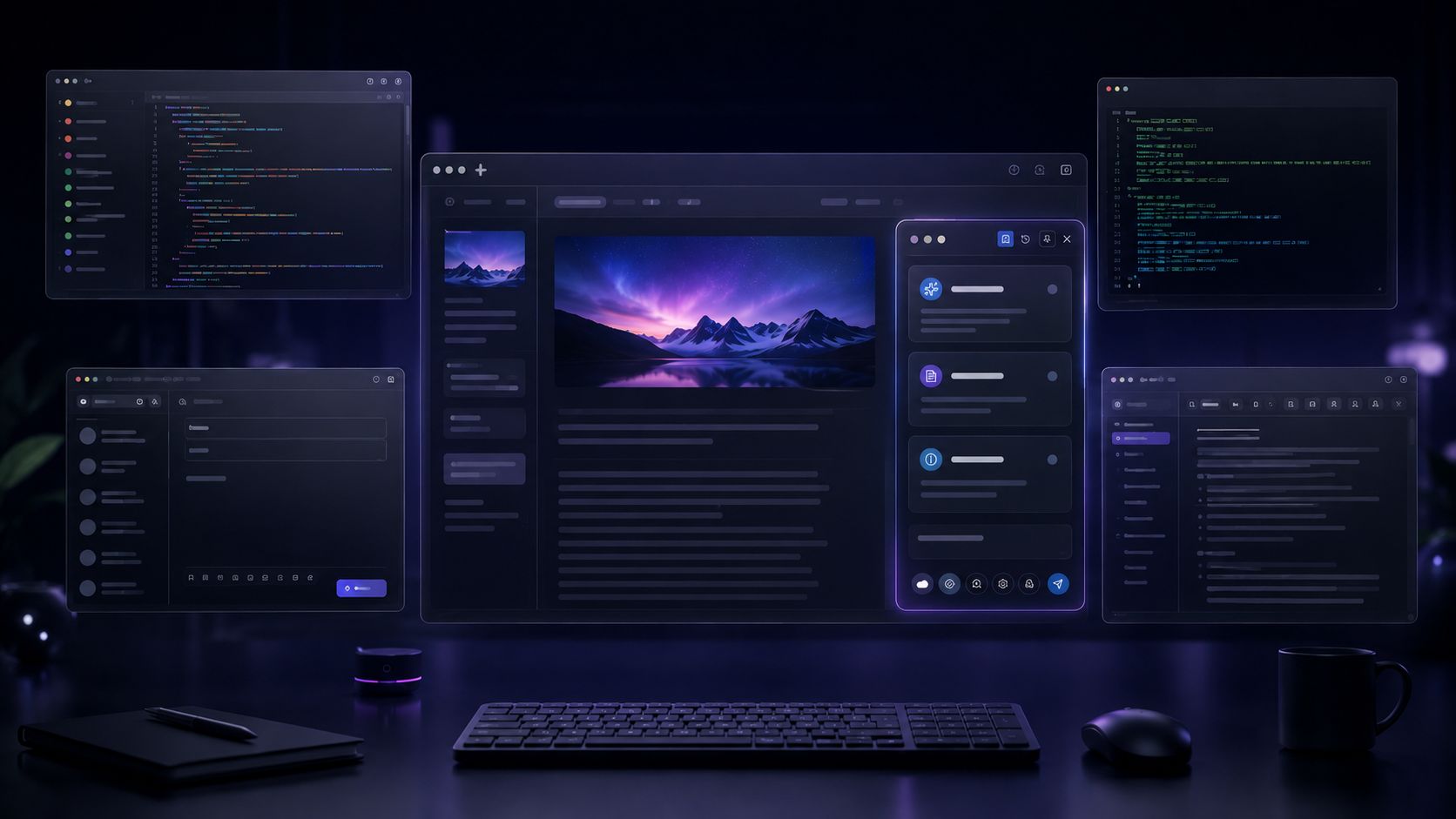

Siri’s shift proves AI belongs in your workflow, not a chatbox. Discover how Everywhere brings context-aware AI to an open, cross-platform desktop experience.
The old AI workflow is becoming outdated
Most AI tools still work on the assumption that you should bring the context to the assistant.
That made sense when AI was a destination. A website, a standalone app, a chat window. You went to it, typed a question, waited for an answer.
But desktop work doesn’t happen inside a single chatbox. It moves across browsers, IDEs, terminals, design tools, spreadsheets, PDFs, and Slack. The things you need help with are usually messy: a cryptographic error in the terminal, half an executive summary, a confusing chart, a UI element that only makes sense with surrounding context.
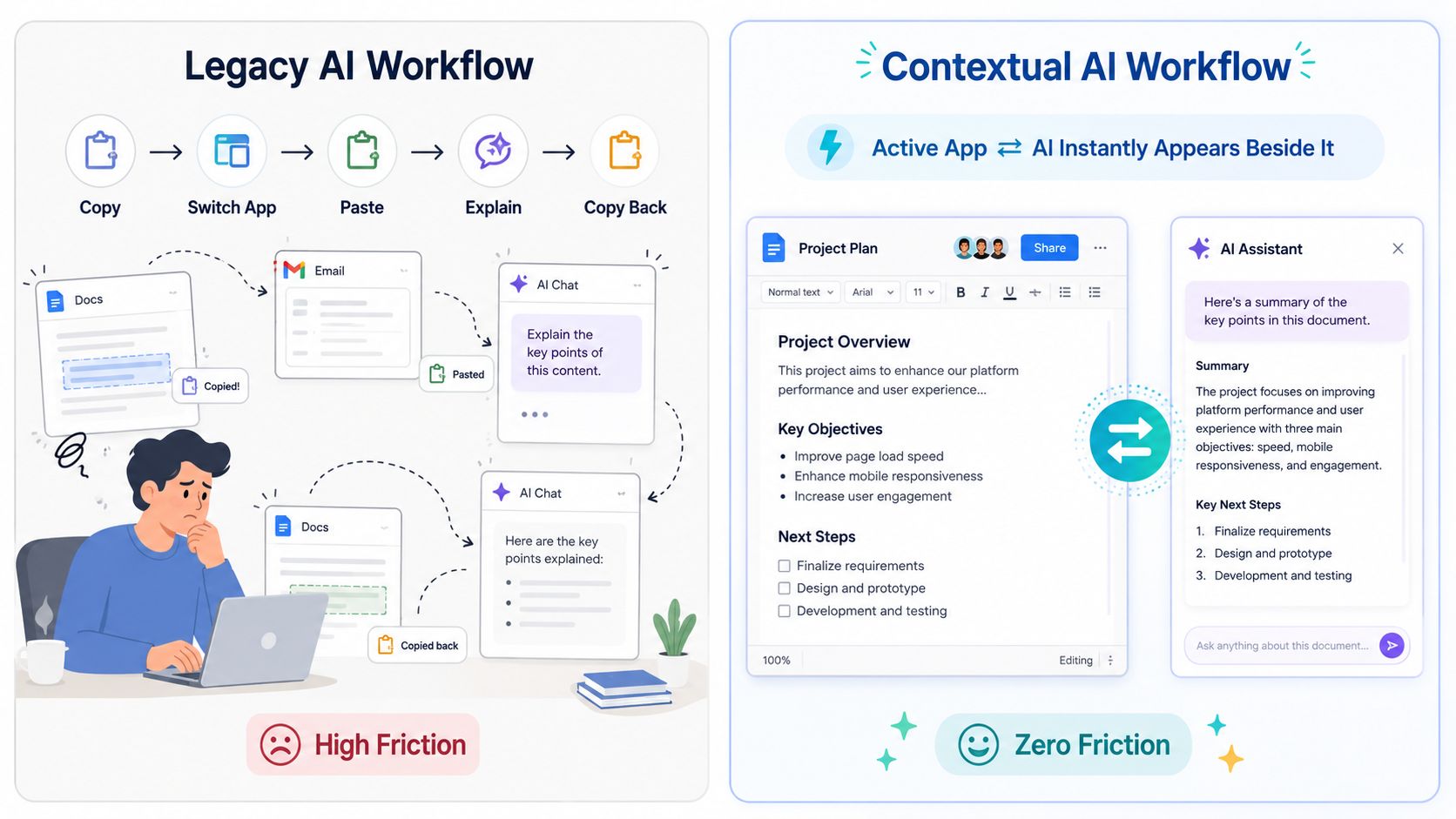
The old workflow turns you into the human integration layer. You filter what matters, sanitize sensitive data, explain the background, and manually bridge the gap between tools. That is the hidden cost of first-generation AI assistants: the models got smarter, but you still do all the context work.
Everywhere flips this. You should not have to leave your workflow to find AI. AI should come to where your work is already happening.
Apple just validated the category
Apple’s evolution of Siri AI matters because it brings this workflow-first idea into the mainstream.
The real breakthrough with Apple’s more personal, capable Siri on macOS is not just better text generation. It is that Siri is moving into the operating system context. It is gaining on-screen awareness, integration with local app actions, and a system-level understanding of what you are looking at.
When a platform giant centers its AI strategy around on-screen awareness and workflow integration, expectations shift. People will start to find it strange when an AI does not know what web page they are reading, what code they have highlighted, or what file they are editing.
Parallel lines, different missions
It is tempting to frame this as “Siri AI vs. Everywhere.” But that misses how people actually work.
The two share a direction. They serve different roles.
| Feature/Focus | Apple Siri AI | Everywhere |
|---|---|---|
| Primary ecosystem | Apple only (macOS / iOS) | macOS, Windows (Currently) |
| Model flexibility | Apple Intelligence (plus selective partnerships) | OpenAI, Gemini, Claude, DeepSeek, local models and more |
| Target audience | Mainstream Apple consumers | Power users, researchers, teachers, students and general productivity |
| Integration level | Native OS defaults | Workflow with general desktop app |
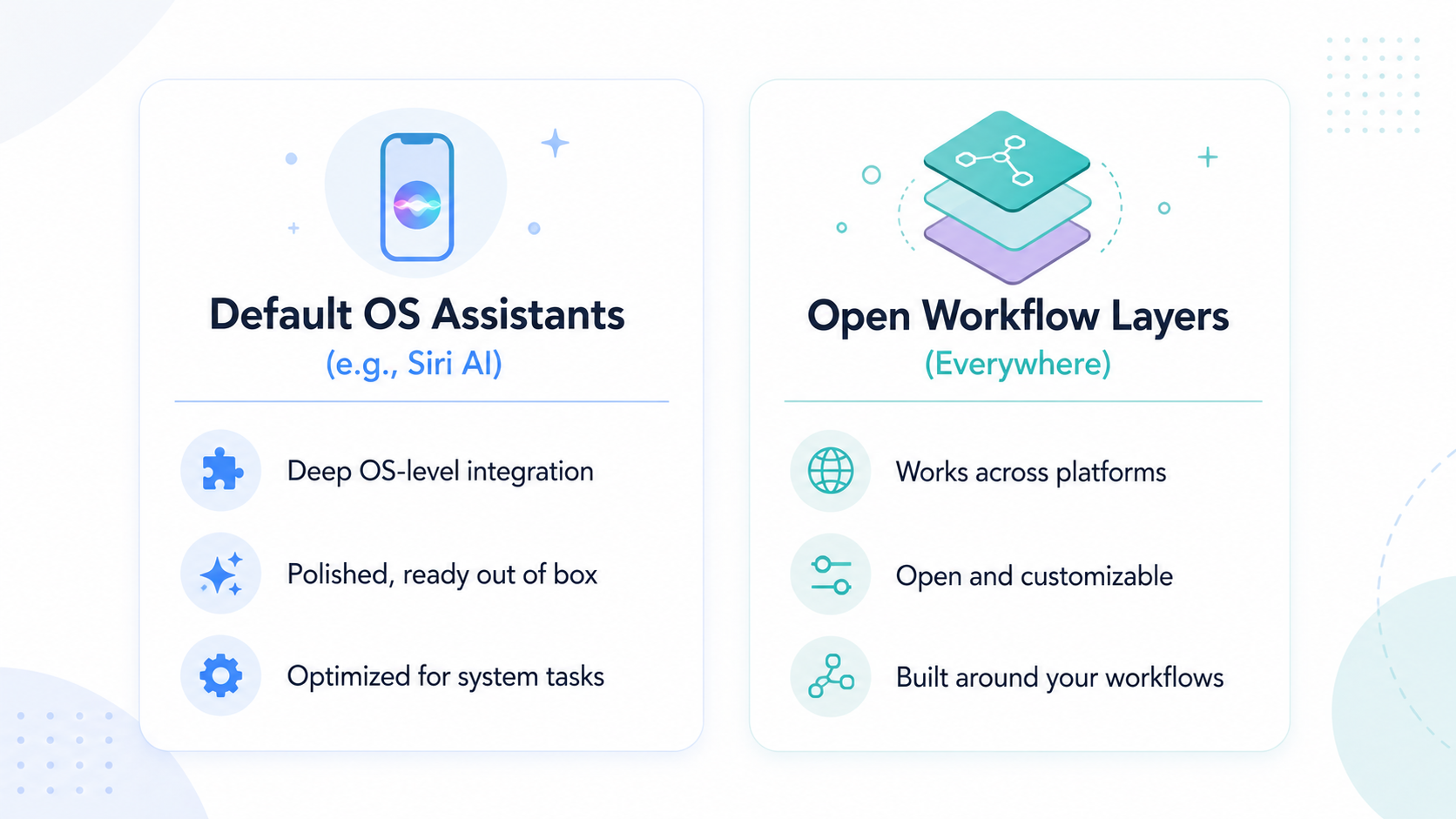
Siri AI is Apple’s native system assistant. Its strength is deep, proprietary integration with Apple hardware, native frameworks, and default apps.
Everywhere is a desktop native, screen aware workspace layer built for complex, heterogeneous environments. It is not a default assistant for one operating system. It is an intelligent companion for people whose work spans multiple tools and platforms.
Everywhere was built around your screen
Everywhere is not a chatbot in a floating window. It is built around screen and application context.
Instead of asking you to construct context manually, Everywhere appears alongside your active task and reads the surrounding scene.
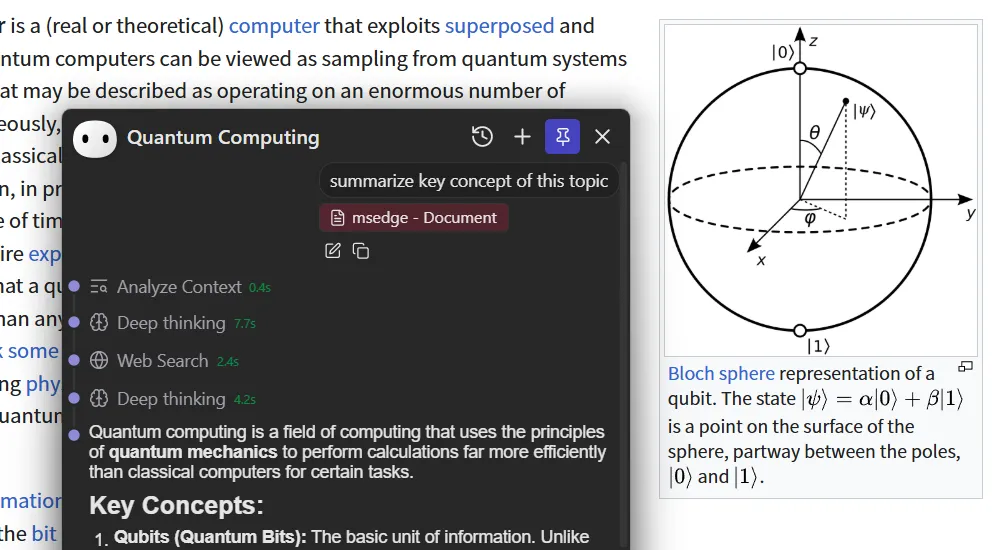
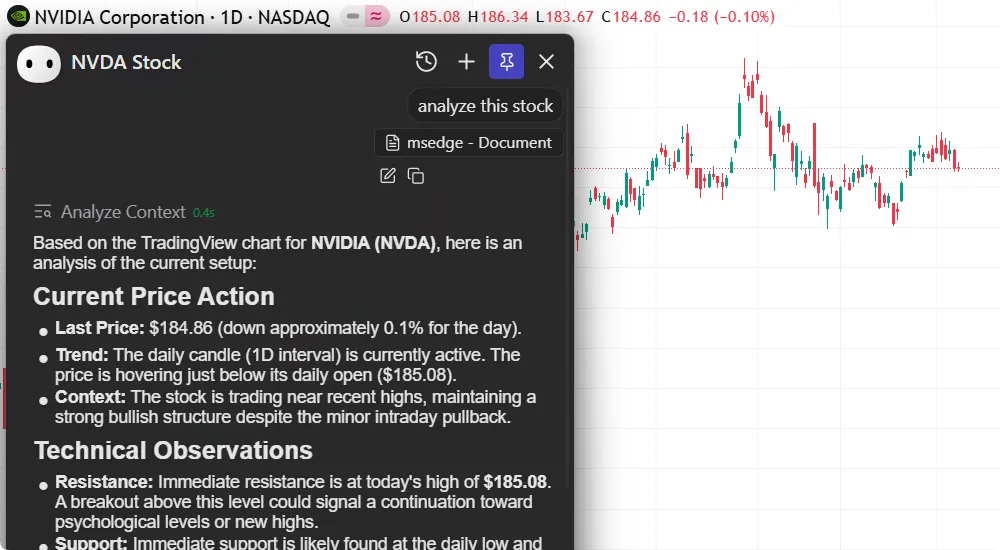
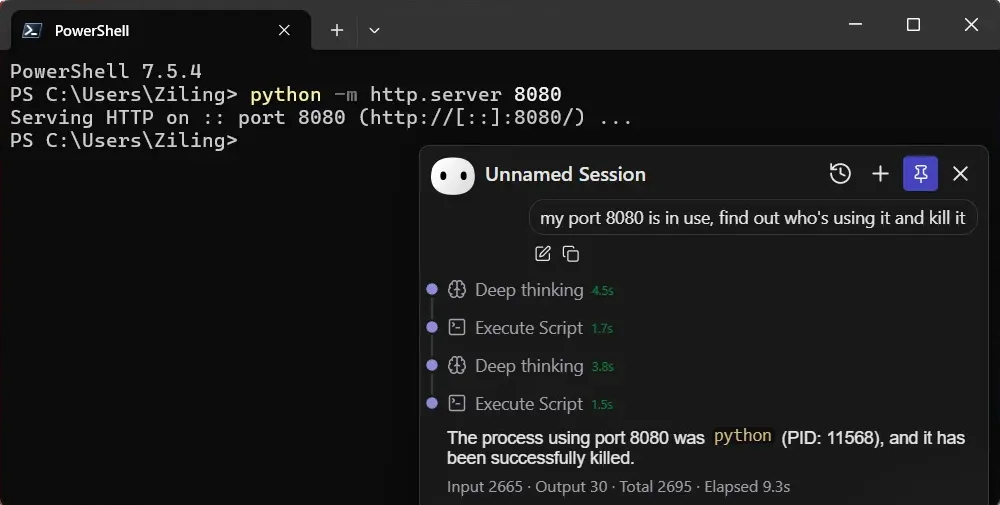
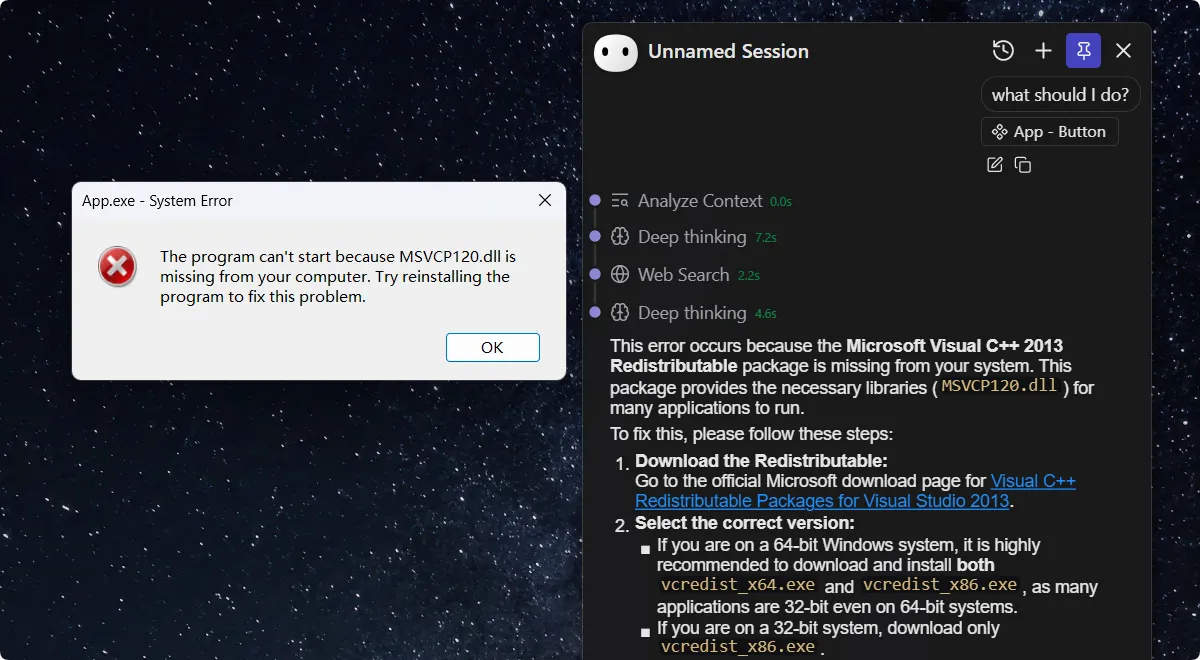
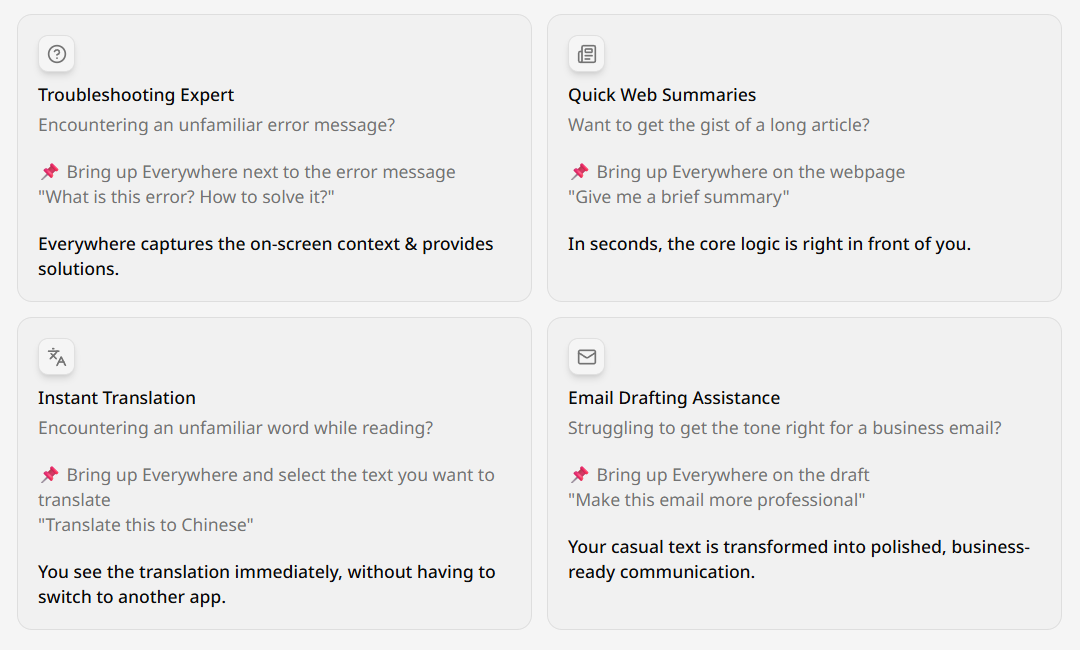
The goal is to shorten the distance between running into a problem and getting help:
The Strategy Engine: from context to action
Seeing the screen is not enough. A useful desktop assistant also needs to figure out what kind of help fits the situation.
That is what Strategy Engine does. It is the cognitive router inside Everywhere, mapping your active desktop context to specific user intents.
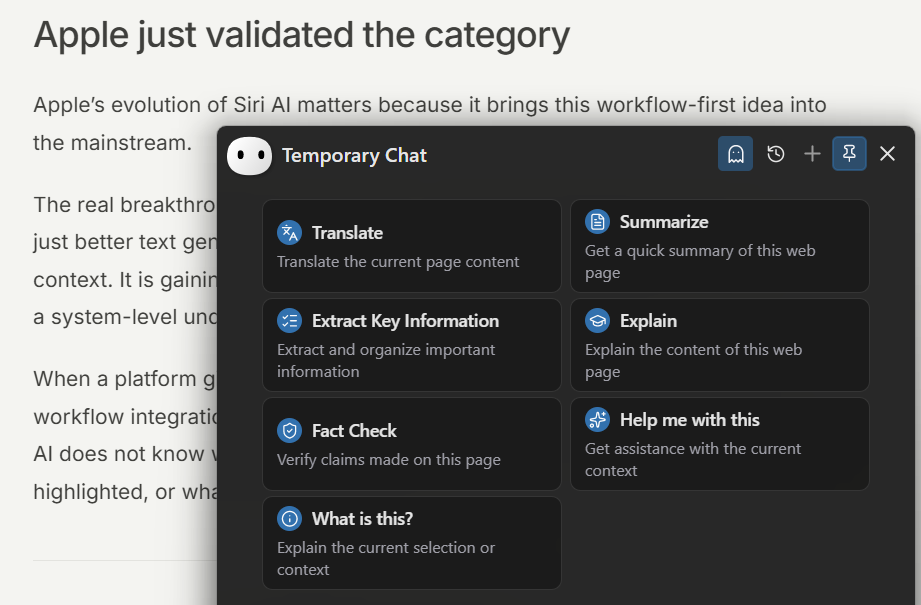
Strategy Engine is still early and under active development — today it works on web pages, where it can verify claims, summarize content, and extract key points.
This is just the starting point. We are pushing toward making the Strategy Engine customizable, so you can define your own contexts, intents, and actions in the near future.
Why openness matters
Power users, researchers, teachers, students and general productivity users do not work inside one curated box. They switch between Windows at work and Mac at home. They want to toggle between OpenAI’s reasoning models, Claude’s writing, Gemini’s context windows, or local models like DeepSeek and Ollama running offline. They need integration with terminal tools, MCP servers, local file systems, and browser automation.
Everywhere is built for that.
We do not assume one operating system. We do not assume one model provider. We do not treat AI as a text generator. The desktop is an environment where AI can think, contextualize, and act while the user stays in control.
Built for moments, not chat threads
The value of Everywhere shows up in small moments throughout the day:
- A developer hits a broken build and triggers Everywhere next to the terminal to find the faulty dependency without copying stack traces.
- A student reading a dense PDF asks Everywhere to explain a concept without breaking their reading flow.
- A teacher preparing a lesson highlights a complex topic and has Everywhere generate a simplified explanation and quiz questions without leaving the document.
- A researcher sees an unsupported claim in an article and has Everywhere verify it across trusted sources without losing their place.
Everywhere works by cutting out the micro-interruptions that break focus. On a modern desktop, attention is the scarcest resource.
Screen-aware AI needs real privacy controls
Deeper context awareness comes with a responsibility: real data privacy. A screen-aware assistant is useful because it understands your environment, which means you need to control what it can see and do.
Our approach is local-first and user-controlled:
- Transparency. You can see what the assistant sees and what data it analyzes.
- Explicit permissions. Actions like running terminal commands, editing files, or triggering automations require your approval.
- Model choice. You decide where your data goes. Route queries to a cloud model, or process them entirely on your own machine.
New baseline for desktop computing
Apple’s move into context-aware AI does not reduce the need for tools like Everywhere. It makes the value easier to explain.
For years, describing a “screen-aware workflow layer” sounded niche. Now it is becoming a baseline expectation. As people realize how clunky the old copy-paste-chat cycle is, demand for integrated AI will grow fast.
But OS defaults and dedicated workflow layers will keep diverging:
Your AI, everywhere.
You don’t have to wait for that future to arrive in next year’s OS update. It’s ready today.
Download Everywhere for macOS and Windows — free to get started, works with the models you already use.
Stop carrying context to your AI. Bring AI to your work instead.