

Everywhere now has a Canary Channel.
Canary is a faster-moving pre-release channel. If you use it, you can try new features and bug fixes before they reach the stable release. The builds are newer, but they are also less tested.
The first Canary version is v0.8.0-canary.20260608.1. It is the first Canary release in Everywhere’s lifecycle, and it arrives before the official 0.8.0 stable release.
Why we built this
AI apps are moving quickly, and Everywhere is no exception. Some users want new features and bug fixes as soon as they are available, especially when a fix addresses something that affects their daily workflow.
At the same time, some of the work we are doing involves major refactors and behavior changes. Shipping those changes directly into the stable channel could make stable less stable. That defeats the purpose of having a stable release.
Canary gives us a better path. It lets us ship earlier, collect feedback from real usage, and catch problems before they reach the release that most people depend on.
It also respects the people who use stable. If you want the most reliable and tested version of Everywhere, stable remains the recommended channel.
What you get on Canary
Canary builds are published more frequently than stable releases. When we fix a bug or add a feature, it can reach Canary earlier instead of waiting for the next stable release cycle.
The version numbering reflects this. Canary versions are mainly based on the release date and the release count for that day. A version like v0.8.0-canary.20260608.1 means it is the first Canary
build published on June 8, 2026, leading up to the 0.8.0 stable release.
Not every Canary build will contain a visible feature. Some builds may include small fixes. Some may include internal refactors that you will not notice directly.
What to know before you try it
Canary and Stable currently share local app data. They do not have isolated settings, chat history, or other local data. If you switch between channels, both channels may read from and write to the same place on your machine.
That means:
- If a Canary build introduces a data migration or schema change, it could affect data that your stable installation also reads.
- Downgrading from Canary back to Stable is not guaranteed to be clean.
- You should not assume Canary builds treat local data in the same way as stable builds.
If you are comfortable with that risk, Canary may be a good fit for you. If you rely on Everywhere for daily work and want predictability, we recommend staying on stable for now.
How to get it
You can download Canary builds from two places:
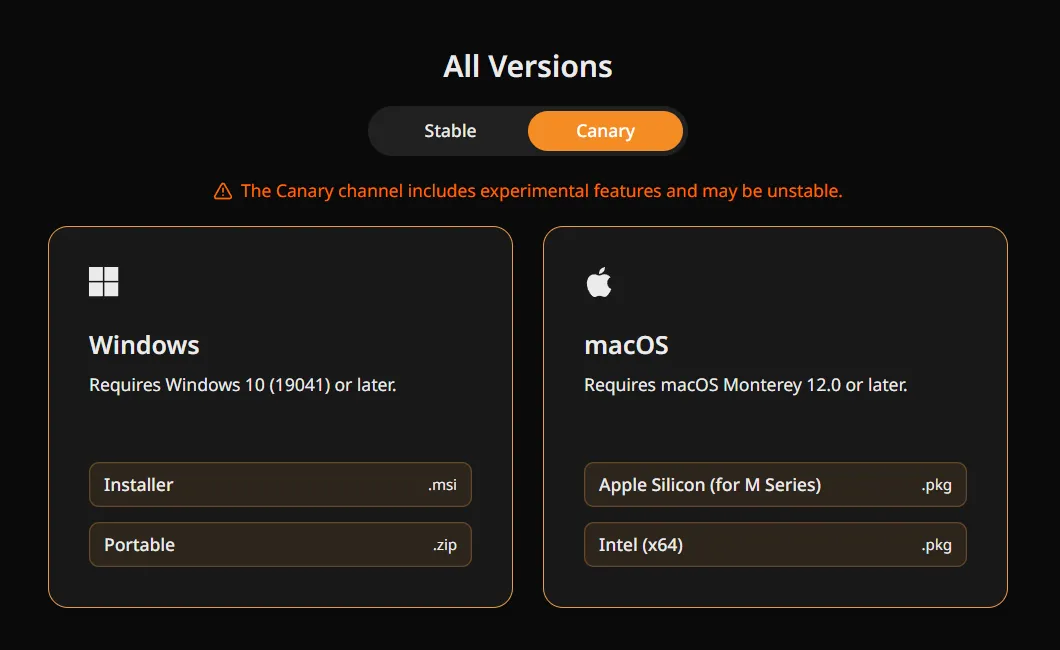
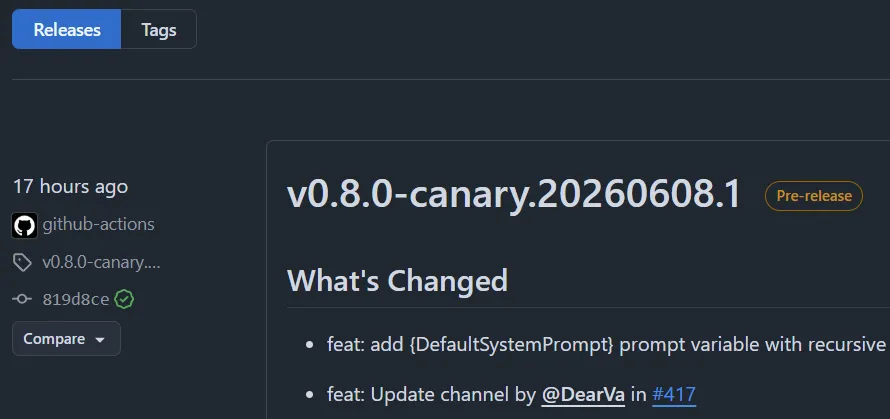
If you try a Canary build and run into something wrong, we want to hear about it. You can report bugs and share feedback through:
- GitHub Issues — the most direct way to get a problem on our radar.
- QQ Group or Discord
The point
Canary is not for everyone, and it is not meant to be. It is for users who want to see what is coming next, who are comfortable with rough edges, and who are willing to help us find problems early.
Stable is still the recommended version for most users. Nothing about that changes.
But if you like being ahead of the release and you are comfortable with the tradeoffs, Canary is live now. Give it a try.